Disclosure: Youyeetoo supplied the X1S and NVMe. Testing and conclusions are my own.
Most of my small-compute work has lived at two ends of the spectrum. On one side are ARM boards like the Raspberry Pi and Indiedroid Nova: compact, efficient, and fun to push beyond what they were built to do. On the other are ThinkPad laptops, where I get a complete x86 Linux machine with a screen, keyboard, battery, and years of community knowledge already behind it.
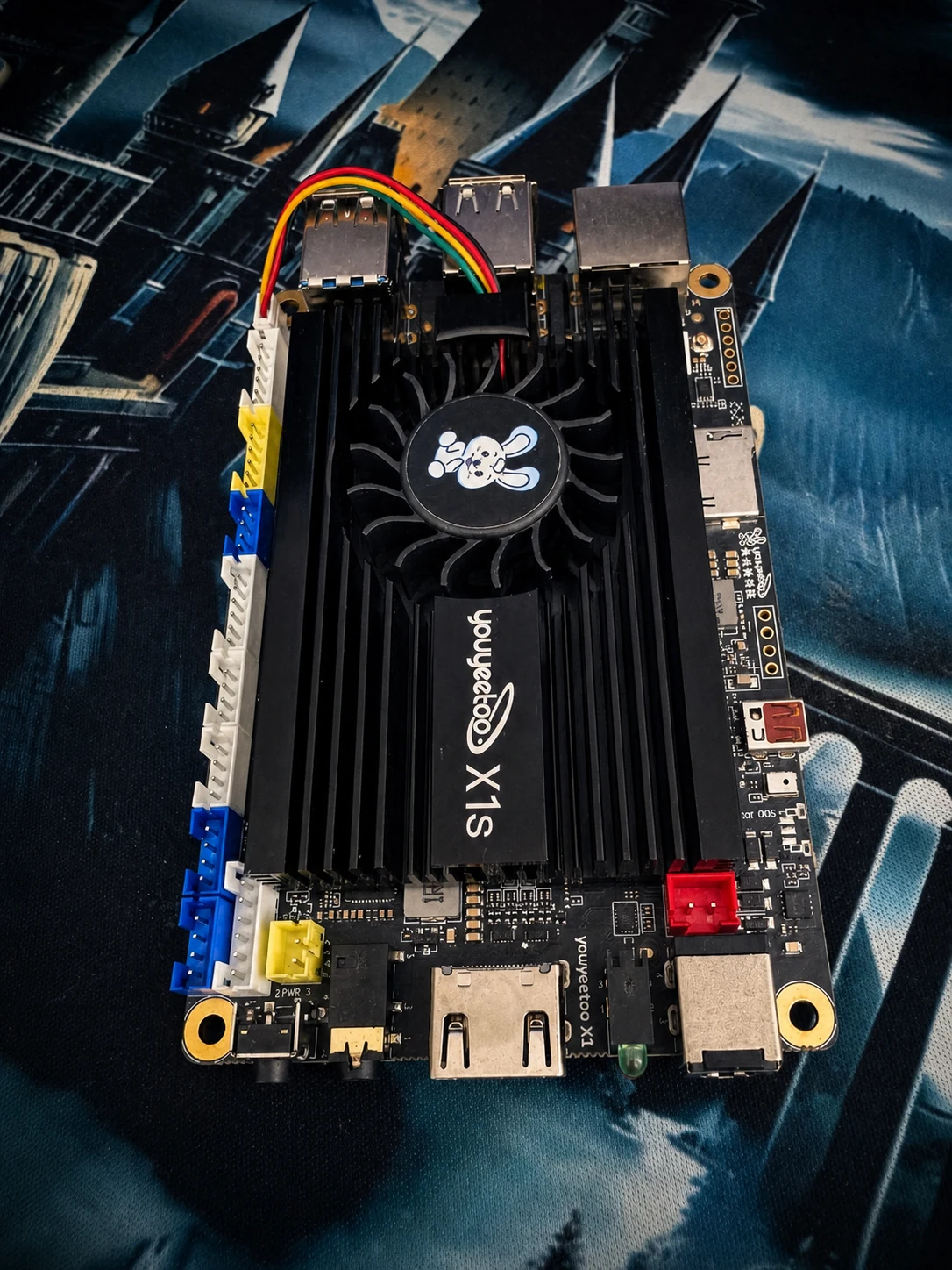
The Youyeetoo X1S sits in the awkward middle. It has the footprint and exposed-board feel of an SBC, but its Intel Celeron N5095 runs standard amd64 software like a small PC. That middle ground is easy to dismiss. It will not perform like a modern laptop, and it does not inherit the Raspberry Pi's enormous community, HAT ecosystem, or mountain of tutorials. That criticism made me more curious, not less. A machine does not have to win every comparison if its particular mix of size and compatibility makes it right for one job.
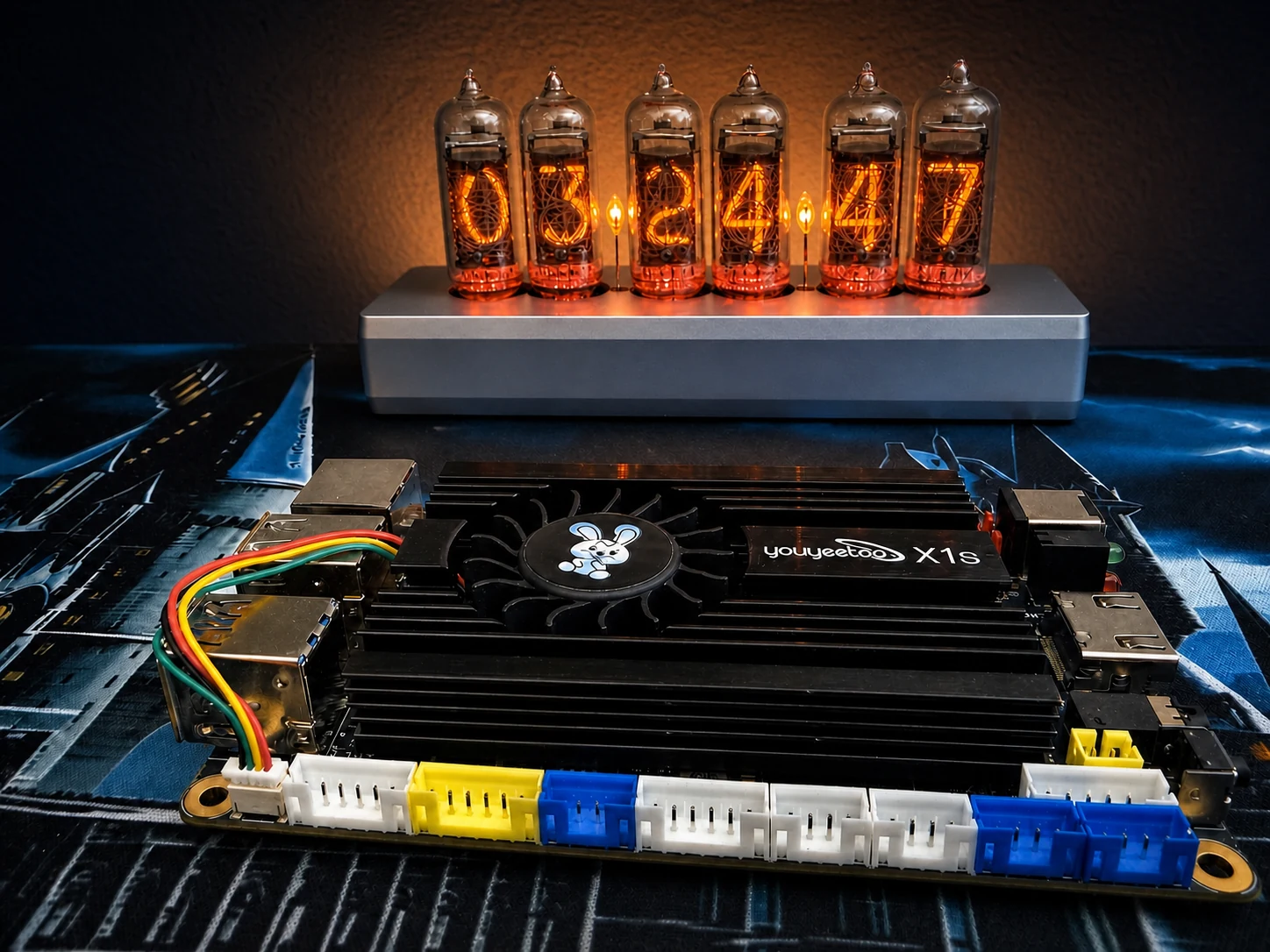
The job I had in mind was the compute core for a budget Kali cyberdeck. Native x86 meant I could use Kali's standard amd64 toolchain without beginning from an ARM-specific software path. With 16 GB of memory, the X1S also left room for local AI experiments alongside the security work.
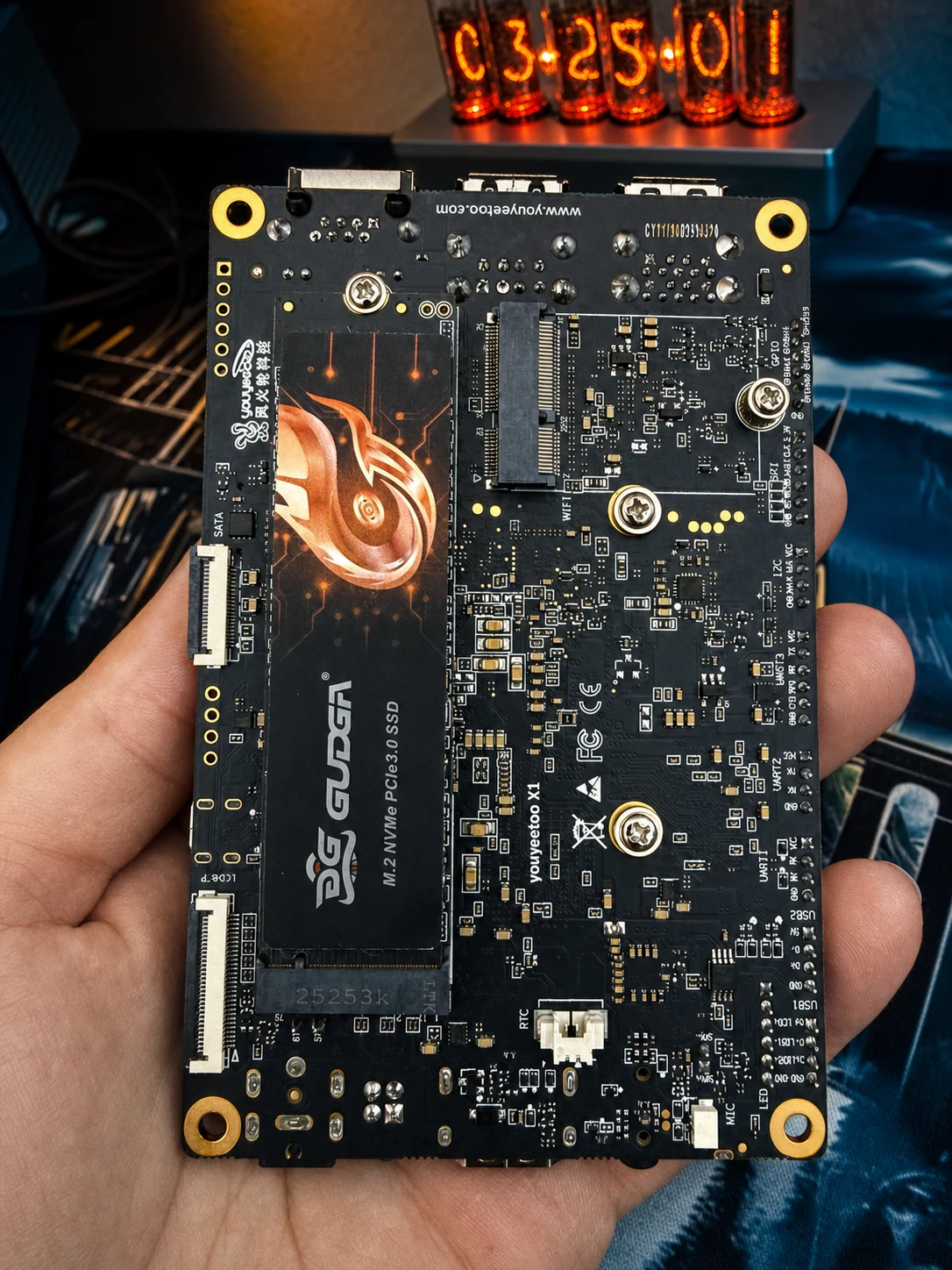
Before I could test any of that, I had to solve the storage path. My original microSD approach never became a reliable way to boot the board, and the project stalled before it had a chance to become a working system. When Youyeetoo followed up with a 128 GB NVMe, I took the opportunity to start again and document the rebuild properly.
The new drive gave Kali a permanent internal target, but the first USB installation still failed halfway through. BusyBox returned a hash mismatch while the console filled with device-offline messages and ISOFS read errors. The NVMe was ready. The temporary installer path was not.
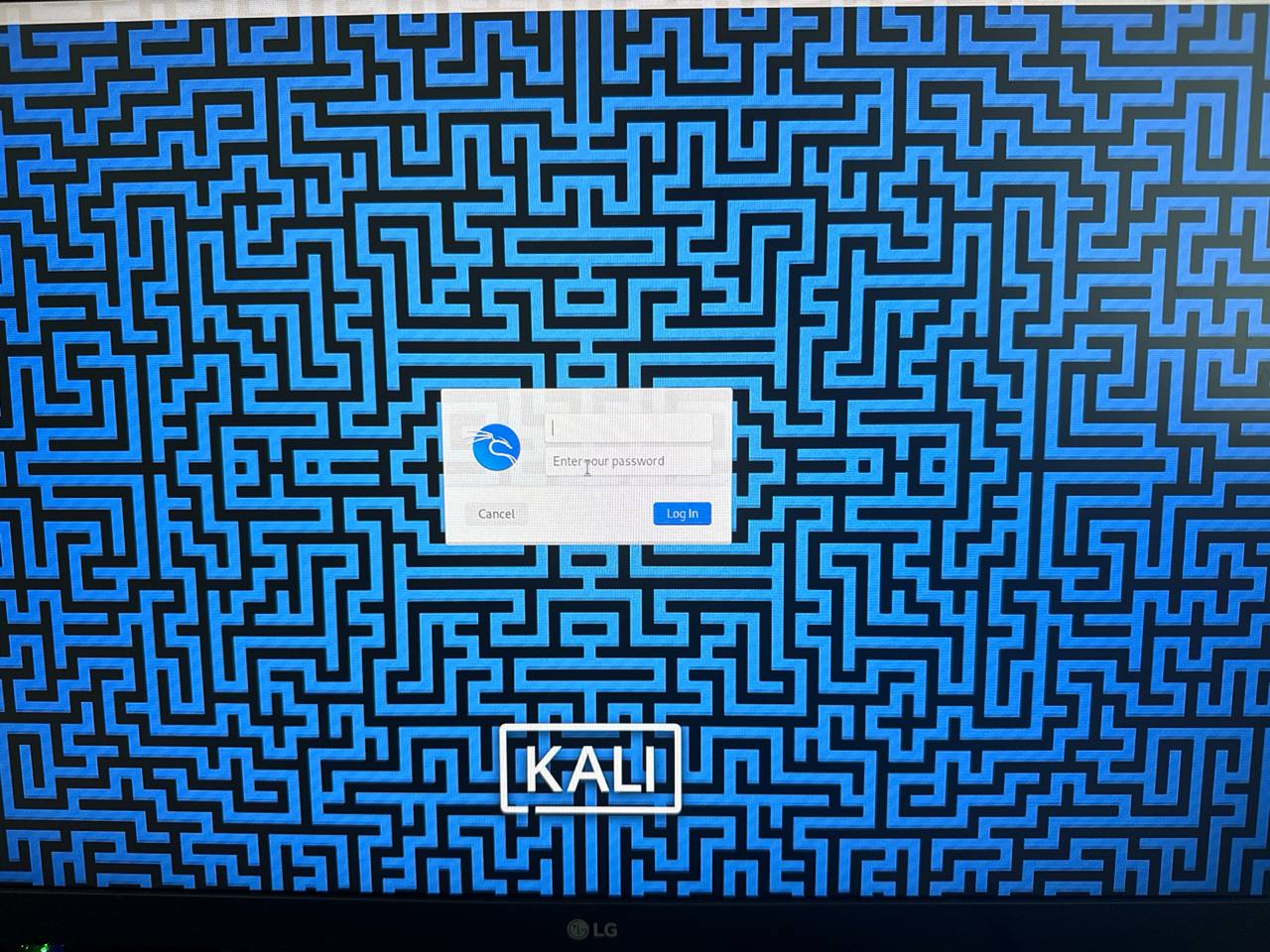
I moved the reader to a USB 3 port, switched from the graphical installer to the text installer, and tried again. This time Kali reached the login screen and booted from the internal NVMe after I removed the installer. From there, I could finally test the part that mattered: whether this small x86 board could remain stable under sustained load, run the common Kali toolchain as a coherent local workflow, and make CPU-only local AI useful.
What I Actually Tested
I separated the work into questions that the data could answer directly. Can Kali be installed on this specific X1S and boot reliably from the supplied storage? Does the supplied cooling solution reach a stable temperature under sustained CPU load? Do representative professional tools start and see the expected x86 CPU resources? And what does CPU-only local inference look like across models from 0.6B to 8B parameters?
System under test
| Board | Youyeetoo X1S review unit |
| CPU | Intel Celeron N5095, 4 cores / 4 threads |
| Memory | 16 GB installed, approximately 15 GiB visible |
| Storage | 128 GB M.2 2280 NVMe supplied by Youyeetoo |
| Cooling | Supplied heatsink and connected active fan, open bench |
| OS | Kali Linux 2025.4 amd64 |
| Kernel | 6.16.8+kali-amd64 |
| Inference runtime | Ollama 0.32.1, CPU backend |
The USB Installer Failure Was the First Real Finding
The boot plan was a microSD card inside a USB reader. The laptop wrote the Kali amd64 installer with Rufus, and the X1S saw the reader as ordinary USB installation media. That part worked. The first install did not.
During the base-system step, BusyBox failed with a hash mismatch. The detailed installer log was more important than the headline: repeated messages reported /dev/sdb as “device offline or changed,” followed by ISOFS read failures. The target NVMe was not the device disappearing. The temporary source-media path was.
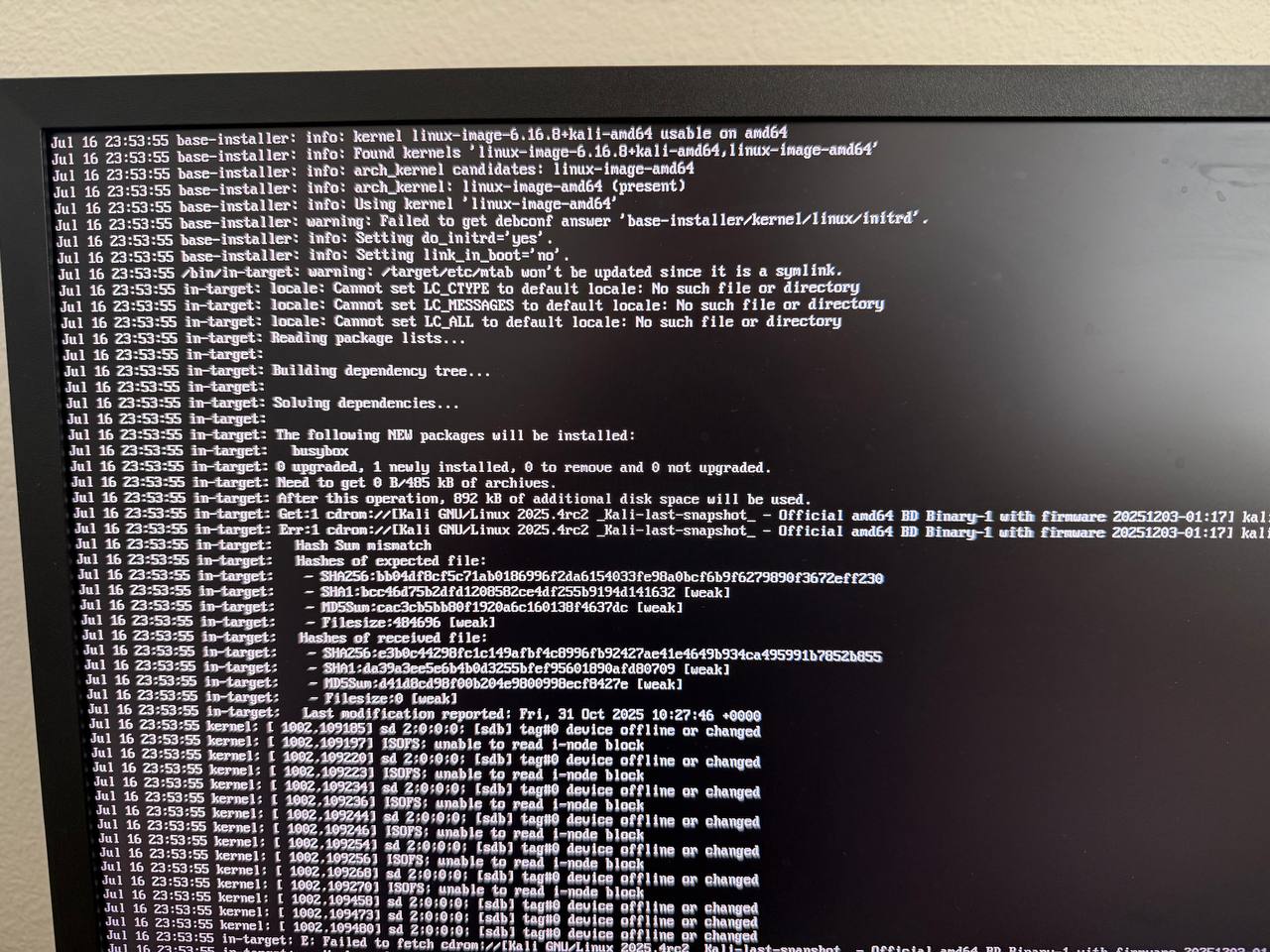
I changed two variables during the successful retry: the reader moved to a USB 3 port, and I used the text installer. The result establishes a working recovery path from this run, not a controlled root-cause diagnosis. Reader contact, transient media state, the original port, or another difference between the two attempts may have contributed.
/dev/nvme0n1  -> approximately 128 GB, permanent Kali target
/dev/sdb       -> approximately 64 GB, temporary USB installer

Partitioning: guided, entire NVMe, all files in one partition
Bootloader: install to the NVMe
After install: remove the USB reader and reboot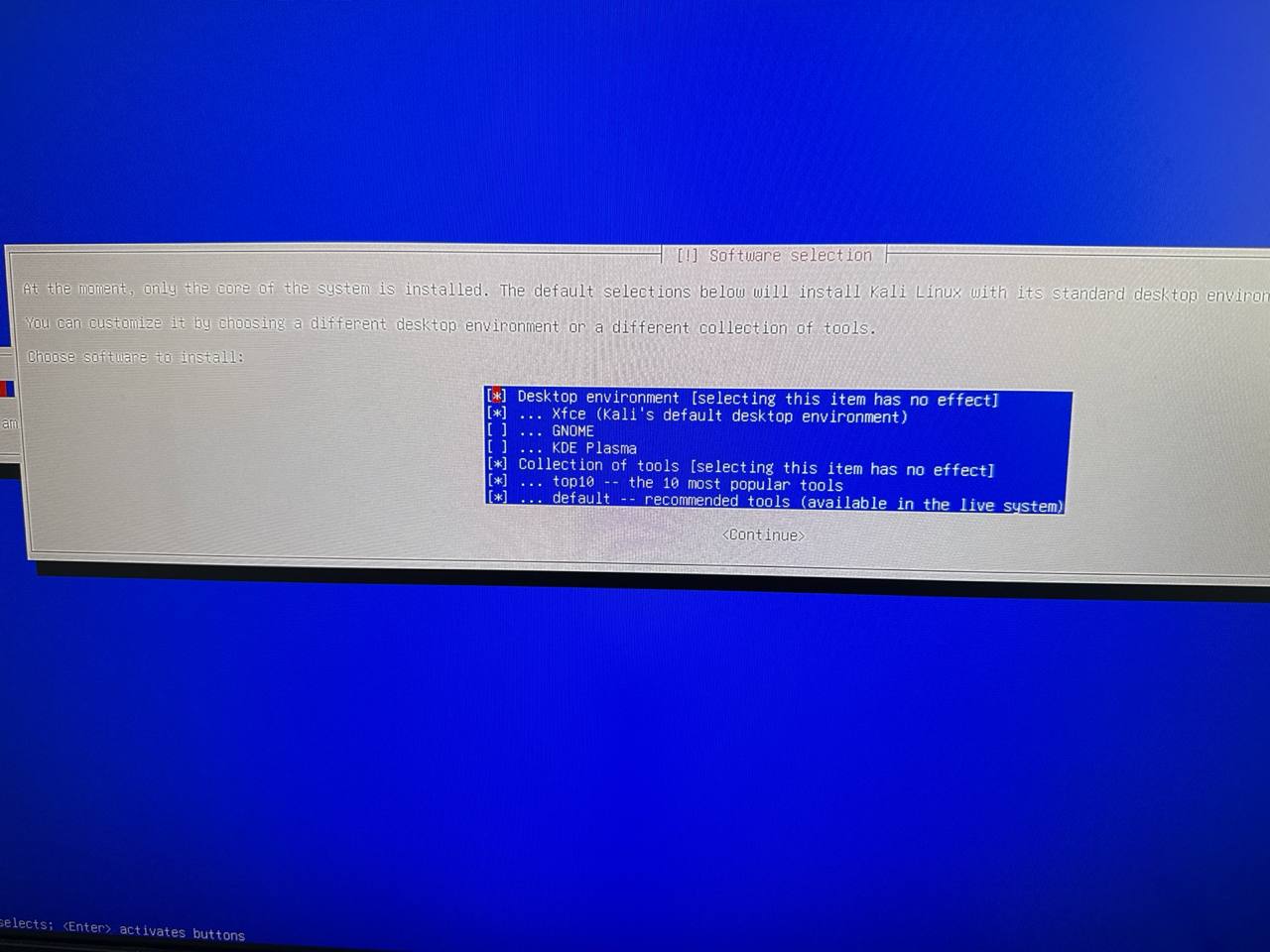
Thermals: Stable at 77 °C in This Configuration
The thermal question mattered because this board had already felt hot during the earlier failed setup. I did not rely on a fingertip impression. After an idle baseline, I ran four verified stress-ng CPU workers using matrixprod for exactly 15 minutes. A separate sampler recorded CPU utilization, average frequency, package temperature, NVMe temperature, and available memory, with an automatic stop at 85 °C.
| Signal | Measured result |
|---|---|
| Starting package temperature | 43 °C |
| Stress duration and samples | 15 minutes; 760 stress-phase samples |
| Average / maximum CPU | 100% / 100% |
| Average / minimum / maximum frequency | 2,800 / 2,800 / 2,800 MHz |
| Average / peak package temperature | 74.66 / 77 °C |
| Peak NVMe temperature | 35.9 °C |
| Throttle counters | 0 before / 0 after on every exposed core and package counter |
| stress-ng result | 4 passed, 0 failed, 0 skipped |
The package settled in the mid-70s instead of climbing toward the guard. There was no sampled frequency decline, no relevant thermal or NVMe kernel event, and no failed service. When the workload ended, package temperature dropped to 47–49 °C within seconds and reached the 55 °C cooldown target in five seconds.
Test boundary: one X1S on an open desk with the supplied heatsink and active fan. Ambient temperature and wall power were not instrumented, so the result describes this 15-minute configuration rather than every enclosure or room.
CPU-Only Local Models: Useful Small, Patient at 4B, Slow at 8B
Ollama detected the Jasper Lake integrated graphics device but selected its CPU backend for the controlled matrix. Six models received the same deterministic prompt, a 4,096-token context, zero temperature, fixed seed, and one cold plus two warm requests. The numbers below are mean warm generation speeds.
Mean warm CPU-only generation speed
| Model | Warm generation | Peak package | Practical reading |
|---|---|---|---|
| Qwen3 0.6B | 6.788 tok/s | 74 °C | Fastest; response was least complete on the single prompt |
| Qwen3 1.7B | 3.129 tok/s | 77 °C | Best interactive starting tier tested |
| Qwen3 4B Instruct | 1.824 tok/s | 77 °C | Patient local batch use |
| Phi-4 Mini | 1.991 tok/s | 77 °C | Patient local batch use |
| Gemma 3 4B | 1.995 tok/s | 77 °C | Patient local batch use |
| Qwen3 8B | 0.924 tok/s | 80 °C | Fits comfortably; sub-1 tok/s generation |
Even the 8B model retained almost 9 GiB of available memory and stopped naturally. Its response followed the single evaluation prompt most completely, although that is a qualitative observation rather than a general model-quality benchmark. The limitation was speed, not capacity.
The vision test drew a sharper line. Gemma 3 4B received a full 1,920 × 1,080 Kali desktop image and did not return text within the fixed 20-minute request window. Package temperature averaged 76.69 °C and peaked at 80 °C, so this was not a thermal abort. The tested full-resolution vision workflow was simply not practical on the N5095.
Professional Kali Workflow: What Native x86 Actually Bought Me
“Native x86 superiority” is too broad to prove with a list of installed packages. The defensible question is narrower: does a stock Kali amd64 environment provide the common professional toolchain without an architecture workaround, and can CPU-oriented tools see the expected resources?
| Tool group | Bounded observation |
|---|---|
| Nmap | 7.95 x86_64; loopback-only TCP connect scan completed |
| Metasploit | 6.4.99 console started and exited normally |
| TShark / dumpcap | Wireshark 4.6.0 and local capture-source enumeration |
| John the Ripper | Four OpenMP threads; 16.652M Raw-SHA256 c/s built-in benchmark |
| Hashcat | PoCL OpenCL detected the N5095 as a four-processor CPU device |
| Aircrack-ng, SQLmap, Hydra, Nikto, Gobuster, ffuf, NetExec | Version, help, or first-run startup paths produced intended output |
Startup checks answered compatibility, but not whether the tools worked together. I followed them with an intentionally vulnerable HTTP service hosted on the X1S and bound exclusively to 127.0.0.1:8008. The complete workflow stayed on loopback: no LAN peer, internet host, credential, wireless target, or third-party system was involved.
| Workflow stage | Measured local result |
|---|---|
| Nmap service discovery | TCP/8008 open; fingerprinted X1SLocalLab/1.0 |
| Metasploit HTTP scanner | Identified the local HTTP service and completed normally |
| Nikto review | 8,075 requests, zero request errors, six intentionally exposed findings |
| Gobuster and ffuf | Discovered the seeded admin, robots, and item paths from a five-entry wordlist |
| SQLmap validation | Confirmed the deliberately vulnerable id parameter as boolean-based blind SQL injection on SQLite |
| TShark evidence | 43,148-byte loopback PCAP containing 290 captured frames |
The run completed in 1 minute 52 seconds. No systemd unit failed before or after it, and the health filter recorded no OOM, thermal, throttling, segmentation-fault, or NVMe-critical event. That is a meaningful professional-tool result: discovery, enumeration, validation, and packet evidence all completed as one reproducible local workflow.
Where the Raspberry Pi 5 Comparison Stands
My existing Nova-versus-Pi work provides useful background on SBC inference and on how quickly cross-platform comparisons become misleading. Those tests used different hardware acceleration, runtimes, quantization formats, and disclosed third-party Pi data. They can frame the market, but they cannot be pasted into the X1S table as if this were a matched three-board race.
The X1S result does support a practical x86 advantage: Kali amd64 installed its expected desktop and professional tool collections, Metasploit and the CLI suite launched normally, and OpenMP/OpenCL CPU paths saw all four processors. A direct “faster than Pi 5” claim still needs the same model artifact, runtime, prompt, settings, measurement script, and cooling disclosure on both boards.
What the X1S Is Good For
| Use case | Why it fits |
|---|---|
| Compact Kali workstation | Native amd64 packages, NVMe boot, 16 GB of memory, and normal desktop Linux behavior in a small board. |
| Local security lab and field preparation | The loopback workflow confirmed that the expected amd64 tools can perform discovery, enumeration, validation, and packet capture together. External interfaces, radios, and live authorized targets remain separate test boundaries. |
| Cyberdeck compute module | HDMI, USB peripherals, active cooling, and internal storage make it practical behind a portable display and keyboard. |
| Home-lab utility node | Enough memory and storage for light services, automation, logging, and other always-available Linux jobs. |
| Small local language models | Sub-2B models are usable for offline text helpers; 4B models are patient batch tools rather than fast chat. |
It is a weaker fit for GPU-heavy cracking, full-resolution local vision, or workloads that depend on Raspberry Pi HATs and community-specific accessories. Wireless assessment also requires a separate compatible radio; the onboard system alone does not turn Aircrack-ng into a meaningful wireless lab.
Verdict: A Working x86 Lab Board, With Important Setup Context
The NVMe did solve the central problem. Once Kali was installed, the X1S behaved like a compact Intel Linux system: normal package availability, normal x86 tooling, enough RAM for substantial local models, stable NVMe storage, and a cooling solution that held a full CPU workload below the safety guard without a recorded throttle event.
The remaining limits are workload-specific. CPU-only inference becomes slow above the small-model tier, and full-HD 4B vision missed a 20-minute ceiling.
Reproducibility
The companion repository contains the guarded benchmark scripts, installation guide, selected raw JSON and CSV evidence, package inventory, throttle counters, and health logs.
# 15-minute verified all-core soak with an 85 °C cutoff
MAX_TEMP_C=85 DURATION=15m ./scripts/thermal_soak.sh

# Local-only Kali compatibility matrix and integrated workflow
./scripts/kali_tool_matrix.sh
./scripts/local_security_workflow.sh

# Six-model CPU-only Ollama matrix
MAX_TEMP_C=85 ./scripts/benchmark_ollama.sh
Youyeetoo X1S FAQ
Can the Youyeetoo X1S run Kali Linux from NVMe?
Yes. Kali Linux 2025.4 amd64 installed on the supplied 128 GB M.2 NVMe and booted reliably after the temporary USB installer was removed.
How hot did the X1S get under sustained CPU load?
In the tested open-bench configuration with the supplied heatsink and active fan, a verified 15-minute four-core stress-ng workload averaged 74.66 °C and peaked at 77 °C. All exposed throttle counters remained zero.
Why did the first Kali installation fail?
The installer reported a BusyBox hash mismatch alongside repeated source-media errors showing /dev/sdb offline or changed. The successful retry changed two variables: the reader moved to a USB 3 port, and the text installer replaced the graphical installer. That establishes a working recovery path, not a controlled root-cause diagnosis.
Which Kali security tools were tested?
The compatibility matrix covered Nmap, Metasploit, TShark and dumpcap, John the Ripper, Hashcat, Aircrack-ng, SQLmap, Hydra, Nikto, Gobuster, ffuf, and NetExec. A separate loopback-only workflow then joined Nmap, Metasploit, TShark, Nikto, Gobuster, ffuf, and SQLmap against an intentionally vulnerable service hosted on the X1S itself.
Is the X1S proven faster than a Raspberry Pi 5?
Not by this test. The X1S results establish installation, thermal behavior, CPU-only inference, and x86 tool compatibility. A direct speed claim requires the same workload, runtime, model artifact, settings, and cooling disclosure on both boards.
Related field work
The portable display, control, and field-workstation side of the same hardware-first research practice.
The benchmark context for understanding where CPU-only X1S inference sits among ARM SBC alternatives.
Another example of turning inexpensive hardware into a bounded, observable field-research system.
Official X1S references
Product and documentation
Manufacturer specifications and setup documentation for the tested X1S are linked below for reference.
Disclosure: Youyeetoo provided the X1S and later supplied the NVMe used in this build. Testing and conclusions remained independent.
Get notified when I publish new hardware reviews, benchmarks, and security research. No spam, unsubscribe anytime.
Email goes to Buttondown for the newsletter. Unsubscribe anytime. Privacy details.